


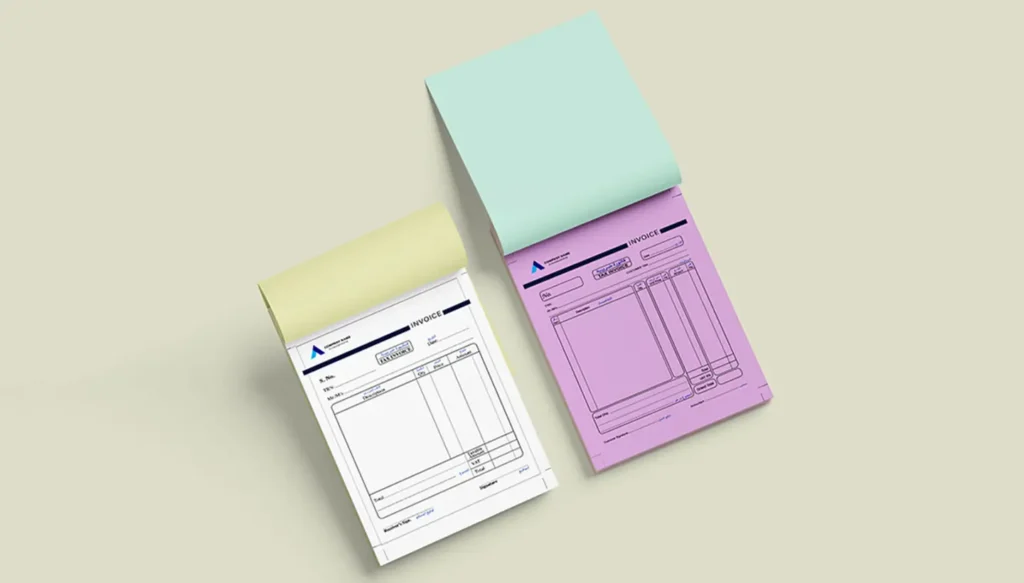
Field service businesses no longer have to choose between scribbling stuff on paper and going fully digital. They can have their cake and eat it. A printed NCR book can capture that on-site proof, while their accounting software goes ahead and creates the electronic invoice that they’ll need when they enter the UAE system, and that’s the key: getting the fields to match and transferring each signed record the same day. You’ll find that Dubai technicians often work in areas where the internet connection is pretty dodgy, or the customers can be a bit tricky to pin down, so the stationery printing is still very relevant even as the UAE moves towards electronic invoicing.
Just because it’s on a printed page or it’s emailed as an ordinary PDF, that doesn’t automatically make it an electronic invoice. In the UAE, electronic invoices are specifically issued, transmitted and received as structured XML. The pilot and voluntary phase kicked off on 1 July 2026, and then it gets serious on 1 January 2027 when businesses with an annual revenue of at least AED 50 million will have to comply. Businesses with lower revenues will have to wait until 1 July 2027.
Paper, Digital, or Hybrid: Which Workflow Works Best?
| Workflow | Field use | Approval evidence | Data control | E invoicing readiness |
| Paper only | Easy offline | Signed copy | Manual entry risks | Low without conversion |
| Digital only | Device dependent | Digital signature | Controlled fields | Strong |
| Hybrid | Reliable online or offline | Signed field record | Strong when fields match | Strong with prompt transfer |
A hybrid process should not create two unrelated invoices. The printed document can act as the job record, service confirmation, receipt, or readable customer copy. The accounting platform and Accredited Service Provider then manage the structured electronic invoice where required.
The Ministry of Finance also notes that buyers may need a separate readable tax or commercial invoice during the transition because the official electronic document is XML based.
Create One Data Path From Your Job Site to Accounts
Match Printed and Digital Fields to Make Life Easy
Effective invoice book printing starts with your accounting system, so make sure you mirror its essential fields in the book:
- the work order number and where you did the job
- the customer details and the bill address
- what you did, how much you did, and what it cost
- the date it got done and who did it
- if there was a purchase order, VAT, and TRN details and all that
- if they paid up or how they’re paying, and any notes from the customer
This stops all the guesswork, and it links the field visit to the final transaction easily.
Get the Stationery Printing and Digital Records
Sequential numbering helps stationery printing, but the printed book number should not get confused with the electronic invoice identifier. Add a little space for the ERP invoice number or digital reference. Then accounts can match the paper form with the software record.
Hand Over as You Go
After the customer has signed the form, get the technician to take a photo or scan it. Then the office checks it over, verifies the prices, tax details, approvals, and payment information before entering the data.
Lastly, get a daily check to compare completed jobs to issued book numbers, voided pages, collected payments, and digital invoices. This turns invoice printing in Dubai into a cash flow control so the work gets billed sooner and any problems get sorted sooner too.
Get Your Invoice Books Designed for the Job
You often need to duplicate NCR sets for the customer and the office, and then add an extra one for the operations, branch or site. A5 is fine for short visits, but A4 is better for things like parts, labour, inspections and terms.
Go for an uncoated writing surface, a clear NCR transfer, good reading type, plenty of space to write, perforated pages, a firm backing, and a protective cover. And whatever you do, avoid glossy finishes where people will need to write. Keep the books out of the way of moisture and parked cars to stop them getting all soggy.
In all seriousness, sustainable stationery printing is about making sure you don’t waste any paper. Just remove the fields you won’t use, pick the smallest size you can get away with, keep the ink coverage to a minimum, and just order a few at a time until you get a bit more of a feel for the workflow.
Digital printing is fine for pilot batches, but offset printing might be more suitable when you know you’re going to be doing a lot of print runs.
Practical Tips for Printing Invoice Books in a Hybrid Workflow
- Assign a specific set of numbered book pages, ideally one per technician or vehicle.
- Make sure everyone knows which copy belongs to the customer, accounts, or operations.
- Use checkboxes for common services whenever possible.
- Never rip out a voided page without keeping a record of it.
- Test the form out with your technicians before committing to a full print run.
- Review and update the design whenever software requirements or layout changes come along.
Picking the Right Printing Partner for Your Stationery Printing
For Invoice Book printing, ask for an NCR sample and see if handwriting transfers onto all copies. Check that the numbering is working, colours are correct, the perforation is where it should be, the binding direction is right, the quantity is what you need, and that the layout can be tweaked after a test run.
Color Print offers NCR books with duplicate and triplicate copies, sequential numbering, bespoke layouts, and a range of paper types. Their services include business stationery printing, branding, packaging design, large format printing, and signage solutions, all of which help operational and customer-facing materials look like they belong together.
FAQs: We Answer Your Questions
Will Printed Invoice Books Remain Useful After UAE E Invoicing Kicks In?
Yes, and for good reason. They can be used to support signed job records, service confirmations, receipts, and, crucially, readable customer copies. They won’t replace the structured electronic invoice when the rules come into play.
Is a PDF an Electronic Invoice in the UAE?
No, not just because of the format. The official system requires structured XML transmitted through an approved framework, rather than just any old PDF or scan.
What Should a Field Invoice Book Contain?
Customer details, the work order reference, a description of the service, quantities, charges, tax information where relevant, payment details, the technician’s ID, and the customer’s approval.
Should a Business Go for Duplicate or Triplicate Books?
Duplicate books are ideal for customer and office workflows. Triplicate books are a better bet when you need an extra physical copy for operations, a subcontractor, branch staff, or site management.
How Can Invoice Printing in Dubai Help Reduce Payment Delays?
Getting the billing information sorted on the spot with a structured form lets your accounts team sort out any problems and issue the digital invoice a lot sooner.
How Frequently Should You Update the Layout?
Review it whenever your services, pricing, tax details, approval steps, accounting fields, or electronic invoicing processes change in other words, whenever something changes.
The Final Word
The transition to a new system doesn’t mean you have to get rid of every paper form; it just means you need to define what needs to be captured and how that information gets into the digital system. With some careful stationery printing, clear handover procedures and accurate software mapping, you should be able to turn every completed field job into a faster, cleaner invoice.